ZENUG.
zen + genug — German for “enough”
Not a task manager.
A loop closer.
Open loops — the unfiled claim, the unanswered message, the payment you meant to check — quietly drain you. ZENUG closes three a day. Then it tells you: enough.
A taste of the app.
Tap the orange mic — it sits under your thumb, like in the app — and watch a voice note become loops. Then close one and see the day shrink, three to two to one. A live sample you can play with.
A working sample — most of the flow you’ll get in the app, close to the real thing.
Straight from the phone.
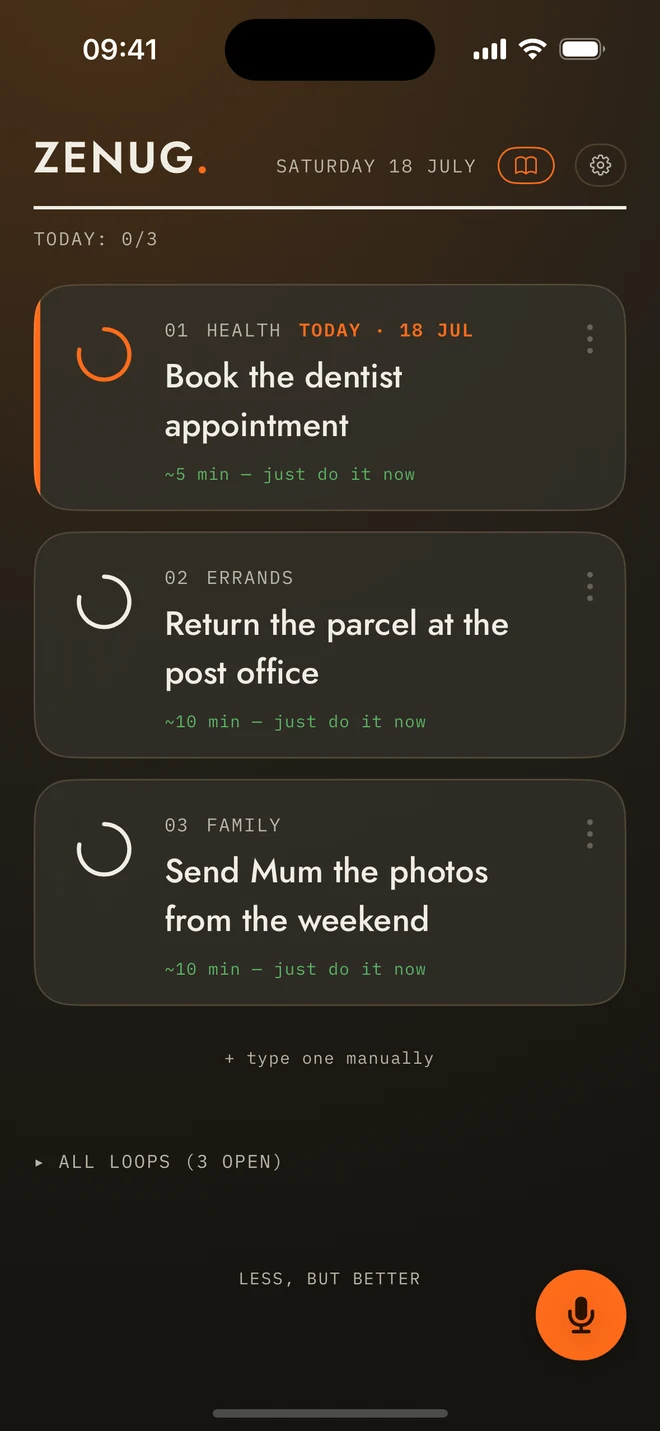
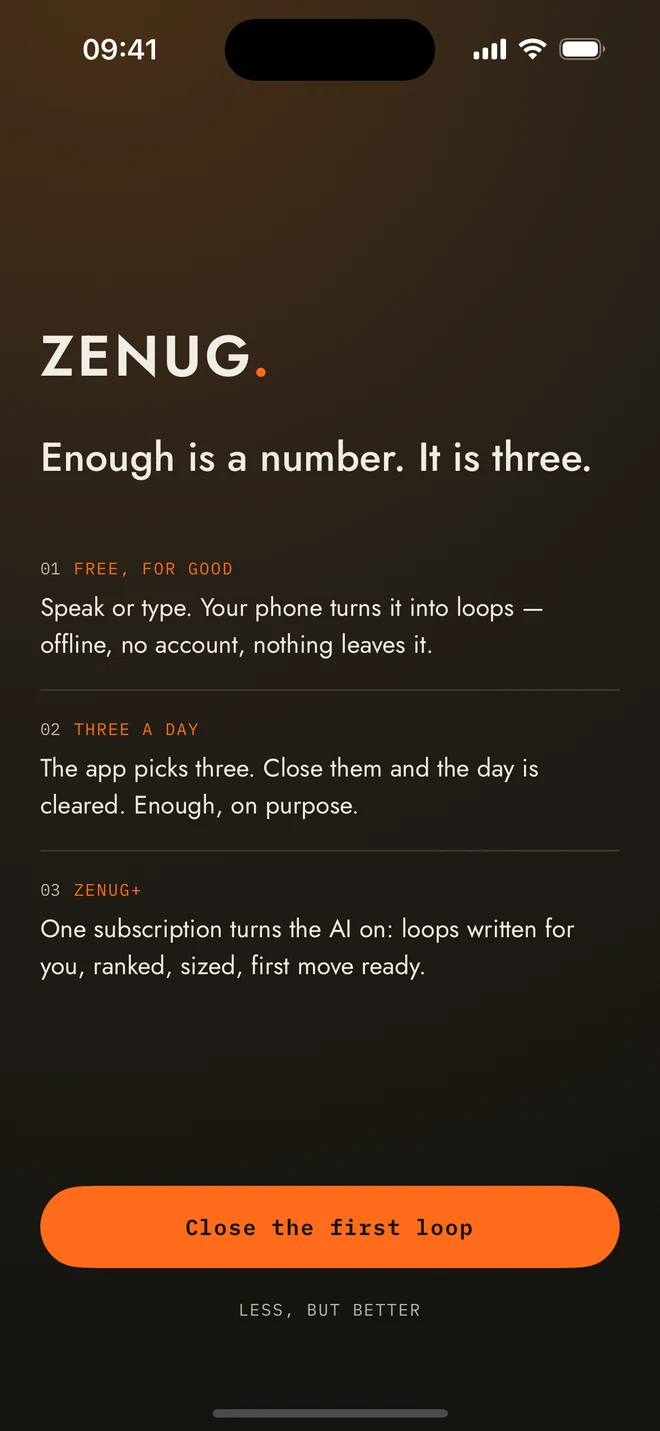
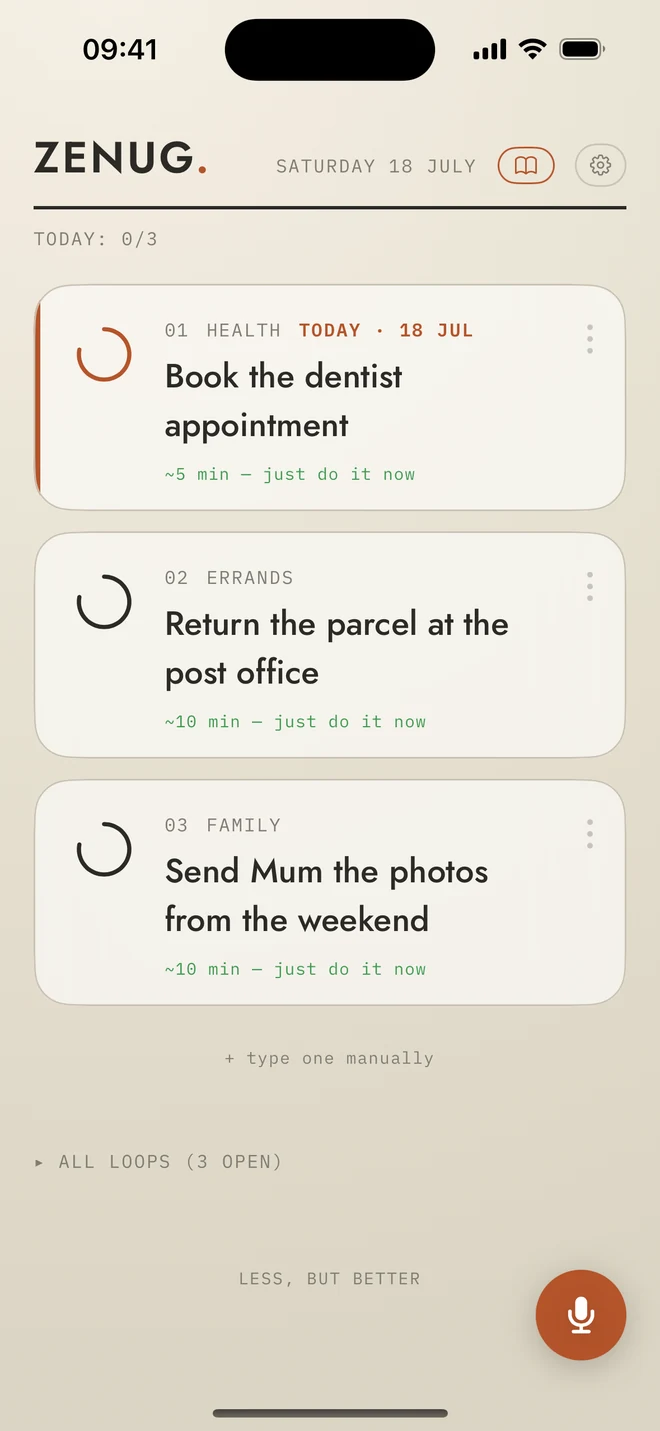
Pick a colour. The room follows.
Six themes, six accent colours. And the accent isn’t trim: choose one and the whole app takes on its light — the glow behind the board, the glass, the hairlines. Instantly, everywhere.
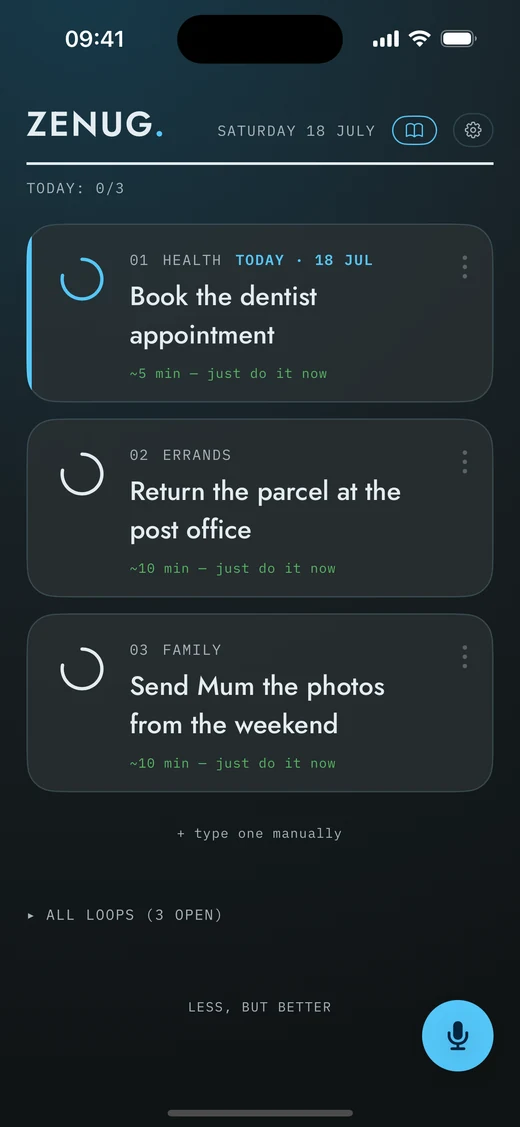
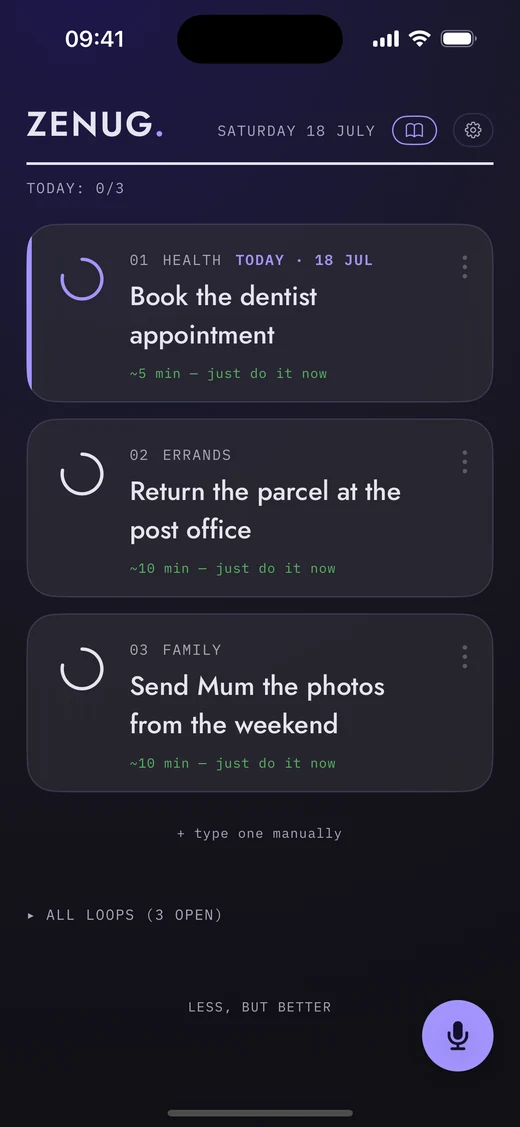
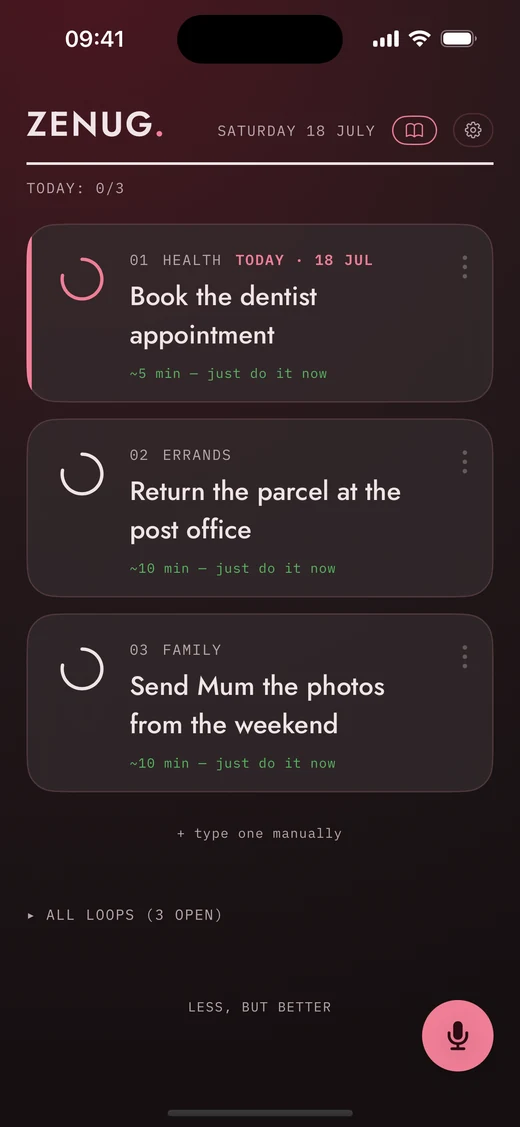
The type is yours too: six reading fonts — including OpenDyslexic and Atkinson Hyperlegible — and five text sizes, followed through the whole app.
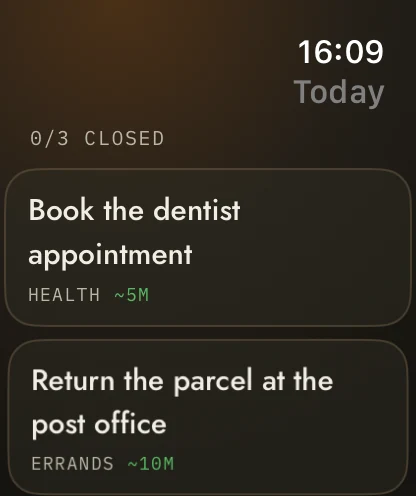
On your wrist.
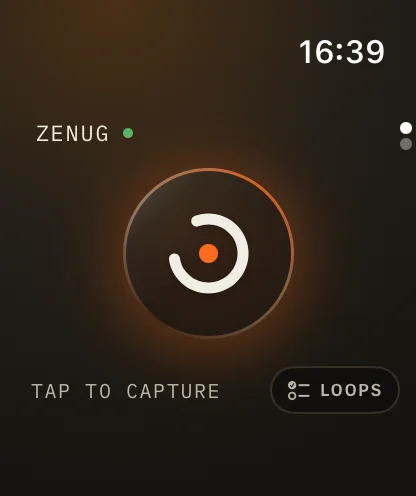
Tap. Talk. It lands on your phone.
Close loops from the wrist.
Or just journal — words only, kept for you.
Less, but better.
The app picks.
Three loops a day, ranked — deadlines first, then what actually matters. Choosing is how you got here.
Four verbs. And a swipe.
Done. Later — with a concrete date. Start — the first physical move. Assist — hand it to your AI. And when you’re sure, one swipe lets a loop go. There is no “someday”.
First move.
A loop carries its cost in minutes and its first physical move — and that move lands in your morning nudge. Not “do taxes” — “put the folder on your keyboard.”
Three is enough. More is allowed.
Close three and the day is cleared — even when the list isn't empty. Want more? The app offers the next loop, ranked — or pick any loop yourself from the pool. Invited, never demanded.
Nothing’s ever lost.
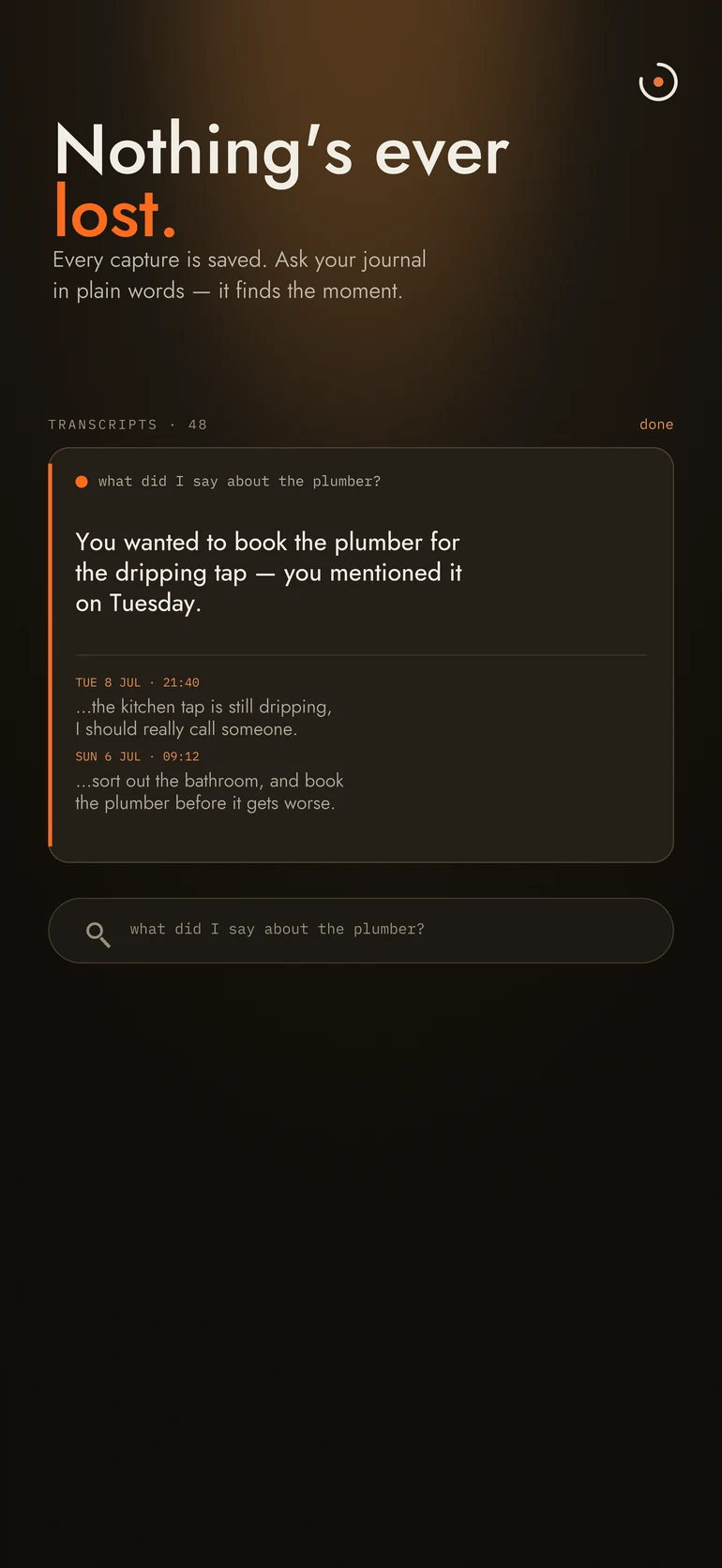
Every capture is kept. Ask your journal in plain words — “what did I say about the plumber?” — and it finds the moment. Your loops follow you to a new phone through your own encrypted iCloud. And your real calendar sits one tap behind the date, so you see what’s already in the way.
You talk. The list writes itself.
Tap the mic — it sits under your thumb — and say the thing you keep not doing. ZENUG transcribes it on the device, in English or German, and when you’re done you choose: keep it as a journal entry, or turn it into loops. Every open loop lives in one pool — and each day the app picks the three that matter, each with its real cost and its first move.
ZENUG+ is an optional subscription — €12.99 a month or €94.99 a year: it writes and ranks your loops with Anthropic’s Claude, through ZENUG’s server. Nothing to set up, no keys to paste. Without it, voice capture and manual entry still work — offline, free, with no account.
Ask your journal.
Every capture is kept as a transcript — speak once, and it’s never gone. Ask in plain words — “what did I say about the plumber?” — and ZENUG finds the moment, from your own words, on the device. Search it, export any entry, or just scroll back to what you were thinking on Tuesday.
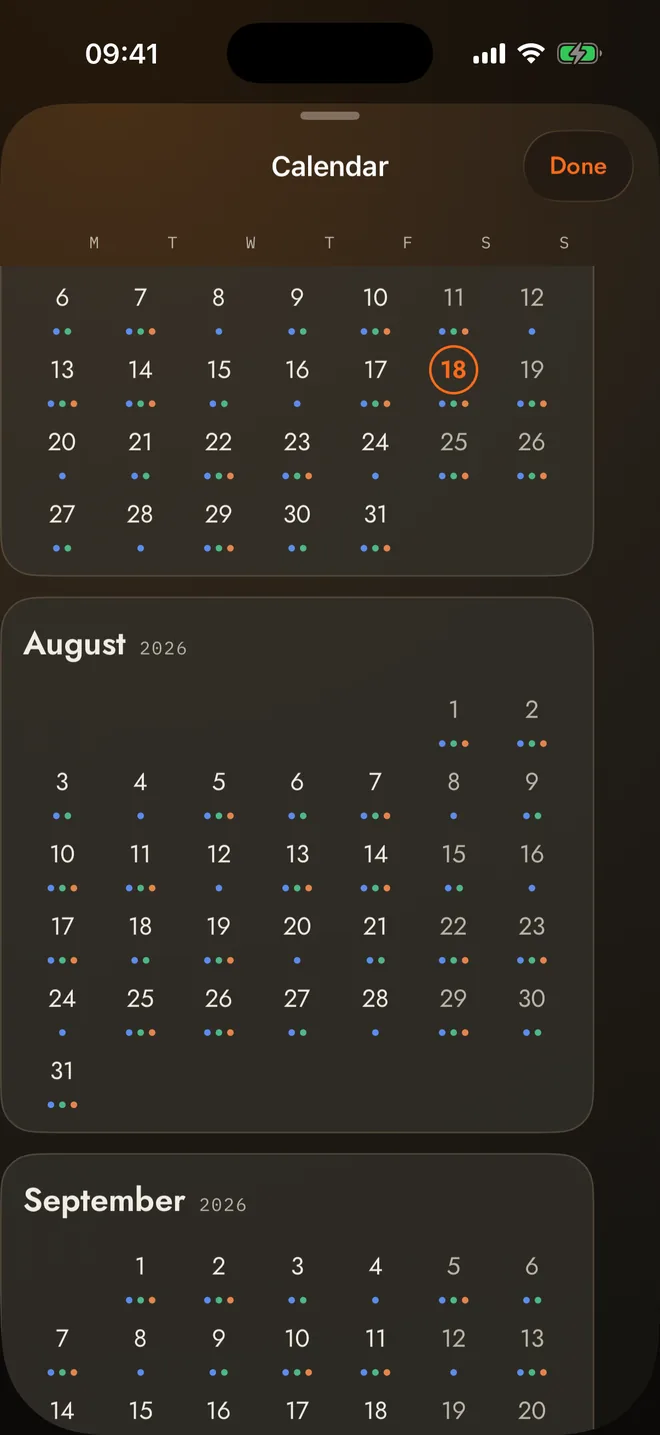
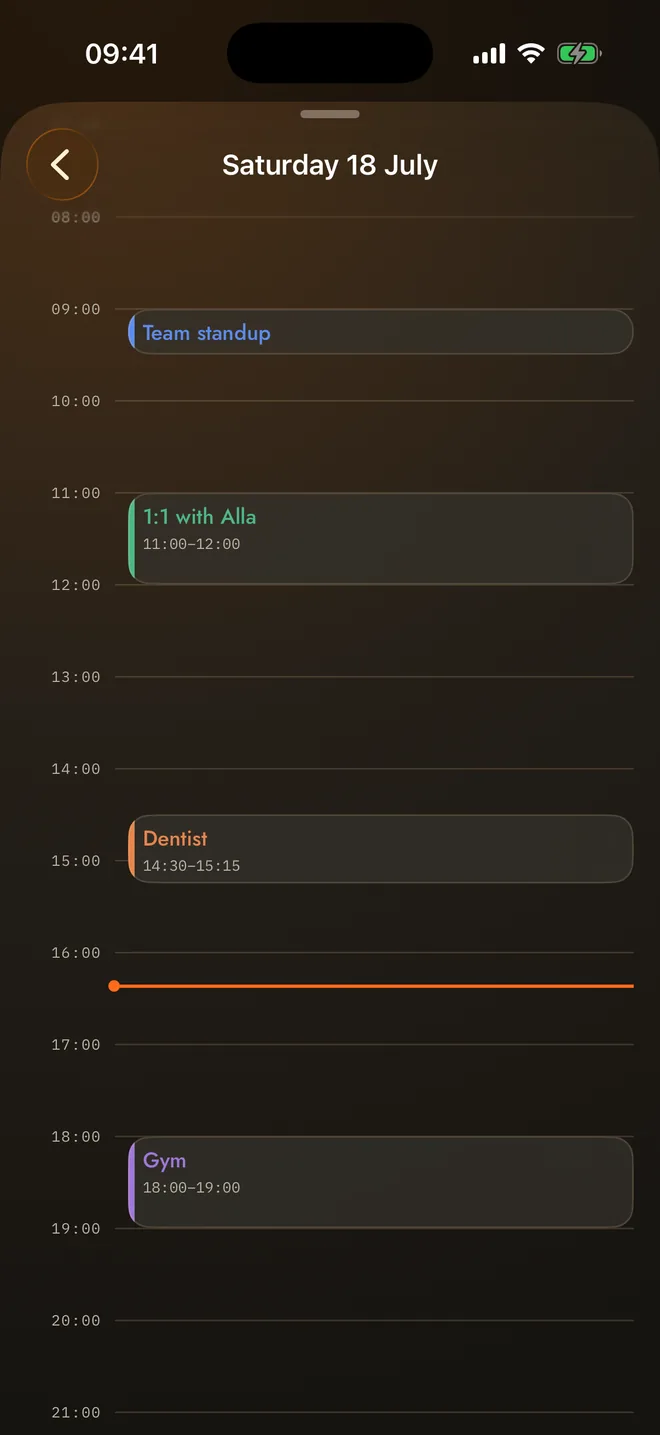
Tap the date. See the day.
The date in ZENUG’s header opens an Apple-Calendar-shaped mirror: scroll the months, tap a day, and see your real events hour by hour — the blockers around your three loops. Read-only, and only if you connect it: nothing is written, nothing leaves the phone.
Closed beats managed.
An open loop costs a little attention every time you remember it. A closed one costs nothing. Most tools help you hold more open loops, more comfortably. ZENUG nudges you to end three a day — then the pushing stops. Anything beyond three is yours to take: the app offers the next loop by priority, or you choose freely from everything still open. The nudge ends. The option doesn't.
Nothing to know about you.
No account. No analytics. No ads. No tracking. Your audio never leaves the device — recordings are transcribed on the phone itself. Your loops and journal sync through your own end-to-end-encrypted iCloud — a new phone, and it’s all still there; ZENUG has no server in that path and never sees a word. With ZENUG+, the text of your voice note goes to our backend and on to Anthropic, which turns it into loops and ranks them — the whole transcript, thinking and all, not a tidy list of tasks. We store none of it.
Questions.
Why only three loops a day?
Because a list of thirty open loops is how you got here. Three closed loops beat thirty managed ones — the pool holds the rest, and the app picks again tomorrow. After three, more is always allowed — just never demanded.
Do I need an account or an API key?
Neither. There is no ZENUG account, no password, and no key to paste anywhere. The app is fully functional for free — voice capture, manual entry, the daily board — offline. ZENUG+ is an ordinary Apple subscription that turns the AI on.
Which languages does capture understand?
Most of Europe — English, German, Spanish, French, Italian, Portuguese, Dutch, Polish, Turkish, the Nordics and more. You pick yours in Settings. Transcription happens on the phone, so the list is whatever your iPhone can understand offline.
Can I make it easier to read?
Yes. Pick a reading font — including a dyslexia-friendly one — set your text size, and choose from six themes and six accent colours; the colour you pick re-lights the whole app. The type follows you everywhere.
What does ZENUG+ cost?
€12.99 a month or €94.99 a year, as a normal Apple subscription — cancel any time in the App Store. The free app is not a demo: capture, the board, the journal and sync all keep working without it.
Is there an Android version?
No. ZENUG is built for iPhone, iOS 17 and up.
Something broke. Who do I talk to?
Email support@zenug.app — answered by the person who built the app, usually within a day.